Studio C-41
A light meter for photographers and cinematographers.
Drives your iPhone’s sensor to the exposure you dial, so the viewfinder shows the real shot.
iPhone · iOS 17 or later
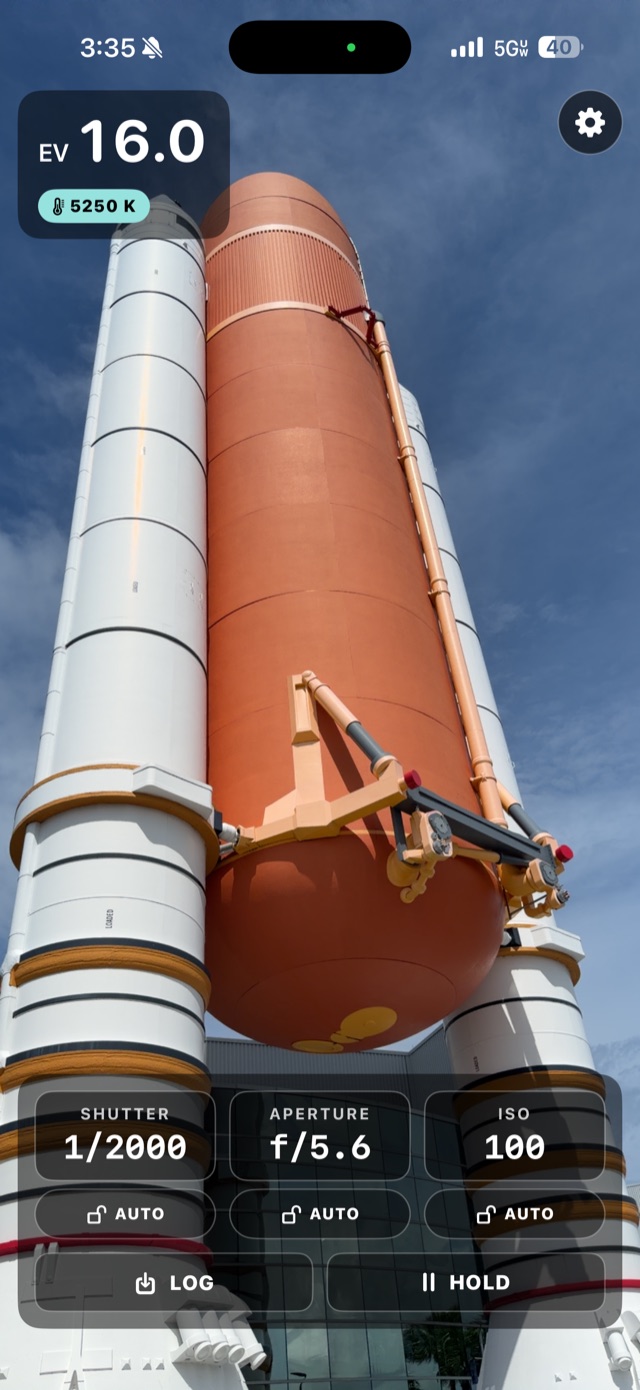
On screen
Everything on one screen.
Live readout up top, the mode you're in, and the exposure deck. All of it sits over the viewfinder.
Live EV, tap-to-spot, and your working exposure on the deck.
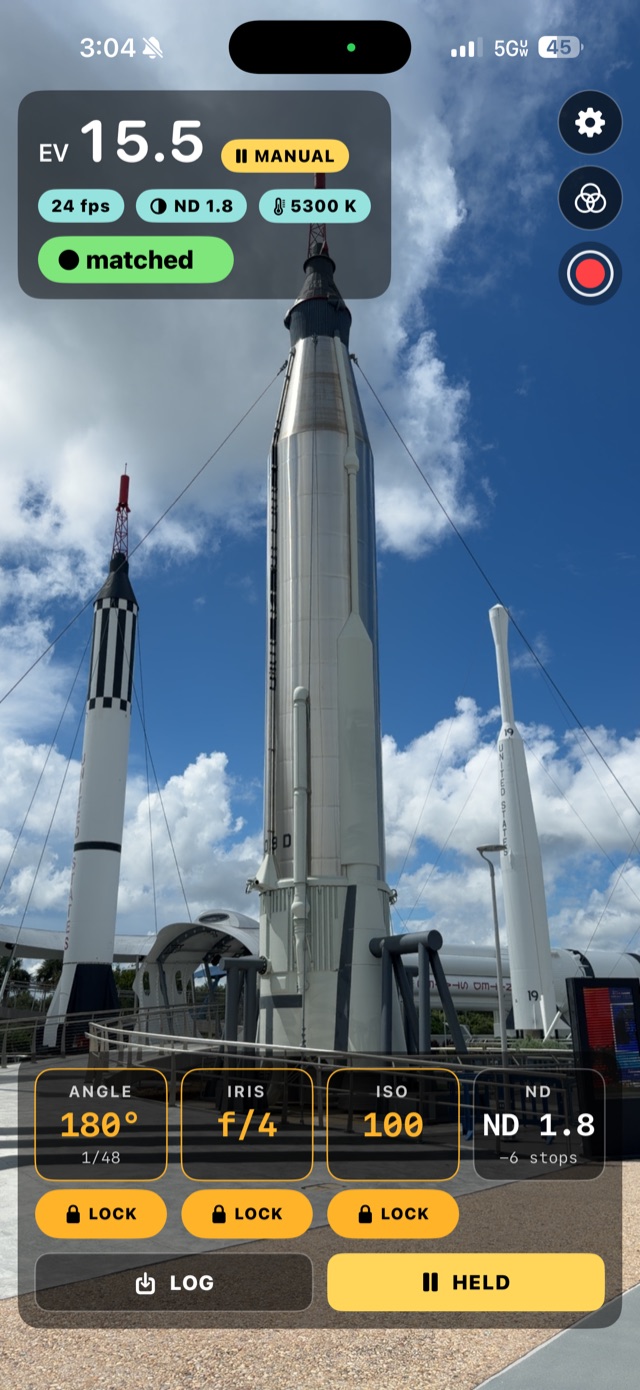
Shutter angle, iris, ND in stops, and false color at your exposure.
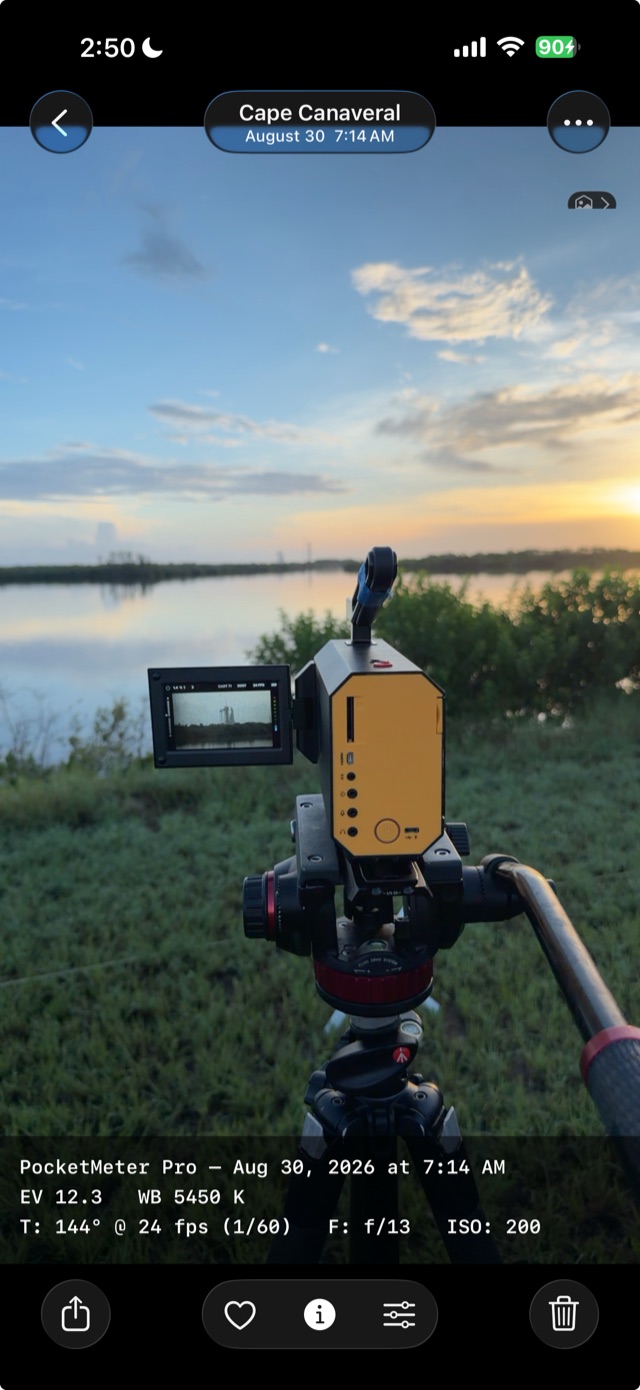
Every reading stamped and saved to Photos, pinned to where you shot.
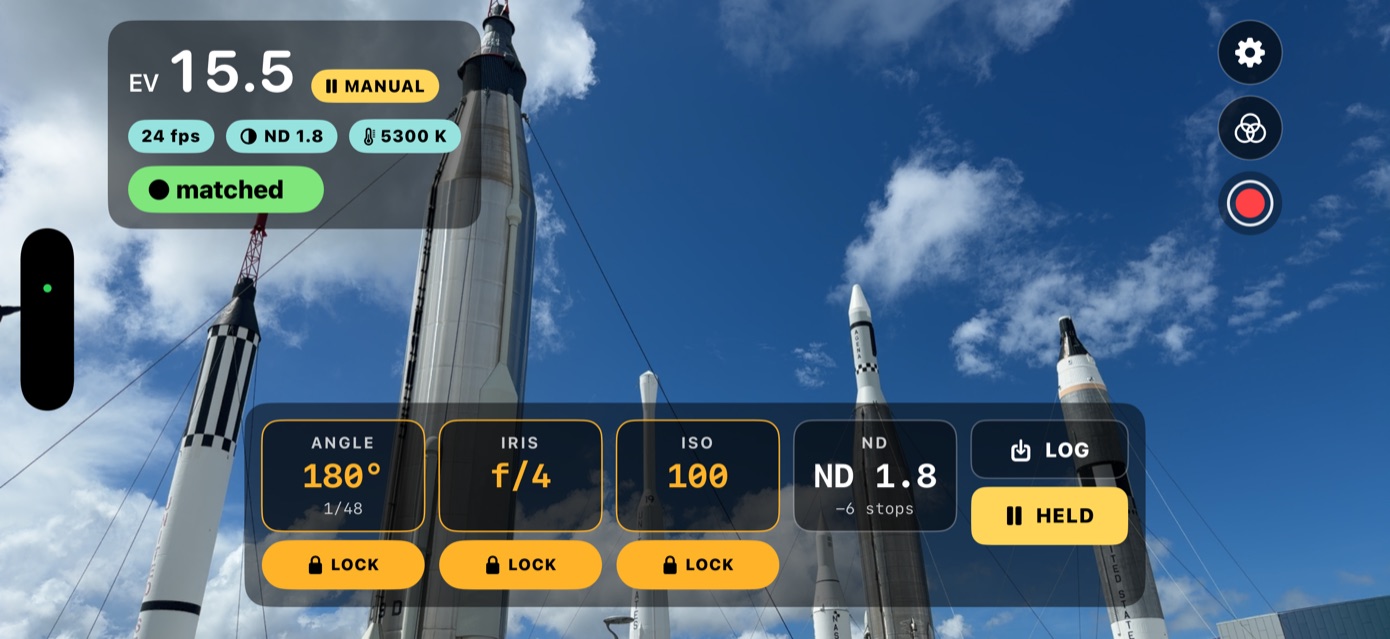
The full readout and deck follow you into landscape.
Real captures from an iPhone at native resolution. No mockups, no renders.
What it does
A complete exposure reading, every time you meter.
Point, meter, and get a complete exposure. Built for film shooters and cinematographers who work in stops and angles.
Real-time exposure read from the camera sensor. You get EV plus a full shutter, aperture, and ISO reading that tracks the light as you move.
Lock the iris and ISO you're shooting and the shutter tracks the light. Lock just one and it picks a sensible pair for the rest. Whatever you leave open is the number it hands you.
Tap a shadow and it's placed at middle gray, spot-meter style. Tap back out to overall scene metering any time.
Tap a value, drag to dial it in with haptic detents, release to set. The other dials move with it as you turn. It feels like a real meter, not a form.
Shutter angle instead of speed, iris instead of aperture. 180° at 24 fps reads 1/48, with ND in density notation (0.3–3.0, out to ten stops) right in the control bar where you dial.
Green is middle gray, pink is skin, red clips. Bands read relative to your dialed settings rather than the phone's auto-exposure.
Distance to your subject in feet and inches — or meters — on Pro devices, out to about 16 ft (5 m) — the range of Apple's LiDAR. Plus a live scene color-temperature readout for matching white balance.
Holding a reading drives the camera to the exposure you dialed, so the viewfinder shows the real thing — highlights blow, shadows crush, and a readout tells you how far over or under you are. All three dials stay adjustable while you hold.
Capture the screen with the readout over it — dials, false color, the reading, all of it — and it saves to Photos. Press and hold to start, tap to stop.
Save an annotated frame to Photos with the full exposure stamped on it, geotagged to where you shot it. Photos drops it on the map, so you can pull the exact spot up in Apple Maps and go back when the light is right again.
Privacy
Your readings never leave the phone.
PocketMeter Pro has no servers, so there is nowhere for your work to go. Everything it meters — the camera feed, the frames you log, the locations they were shot at — is processed on your iPhone and stays there. Nothing is collected, nothing is uploaded, and there is no account to make.
- No servers, no uploads
- No accounts or sign-in
- No analytics or ad tracking
- Nothing sold or shared
Available now
Out now on the App Store.
One purchase, no subscription. The meter, Cine mode, false color, the rangefinder and the log — all of it, on the iPhone already in your pocket.
 iPhone · iOS 17 or later